Mouse Jiggler
Your phone is the mouse. Your computer stays awake.
▶ Get it on Google PlayFree Test Mode · Pro $2.99, one payment · Android 9 or newer
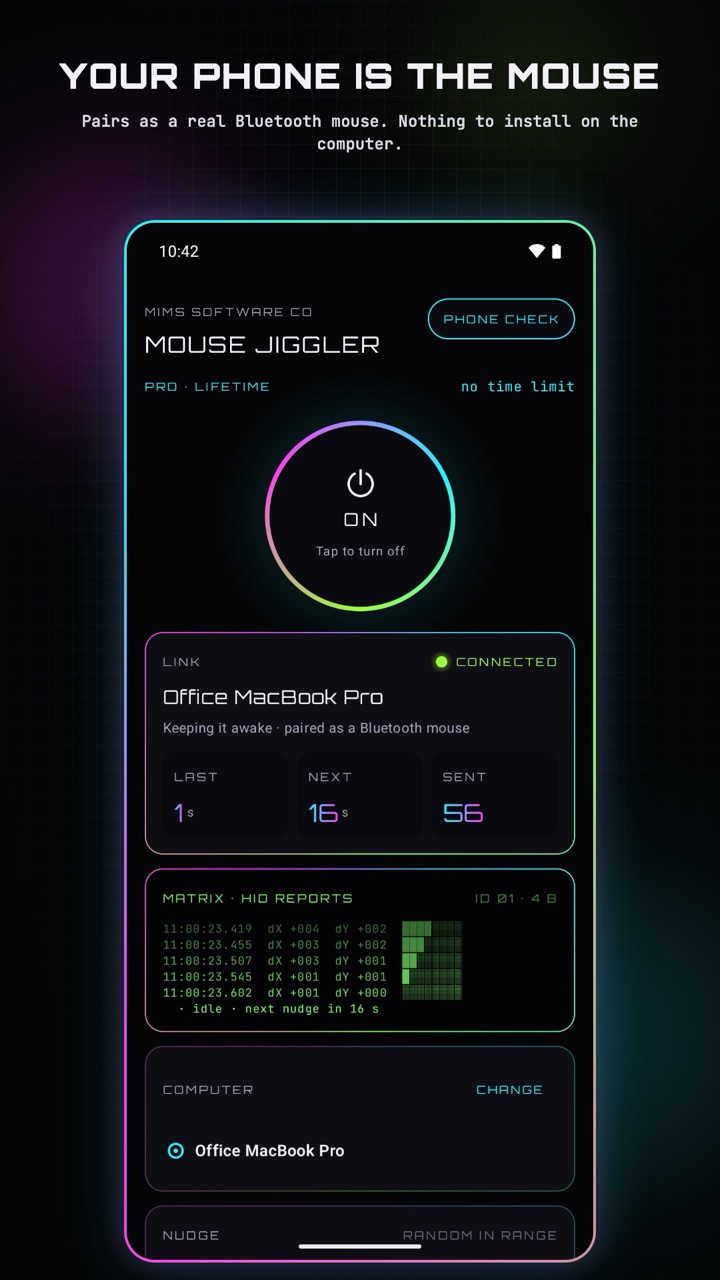
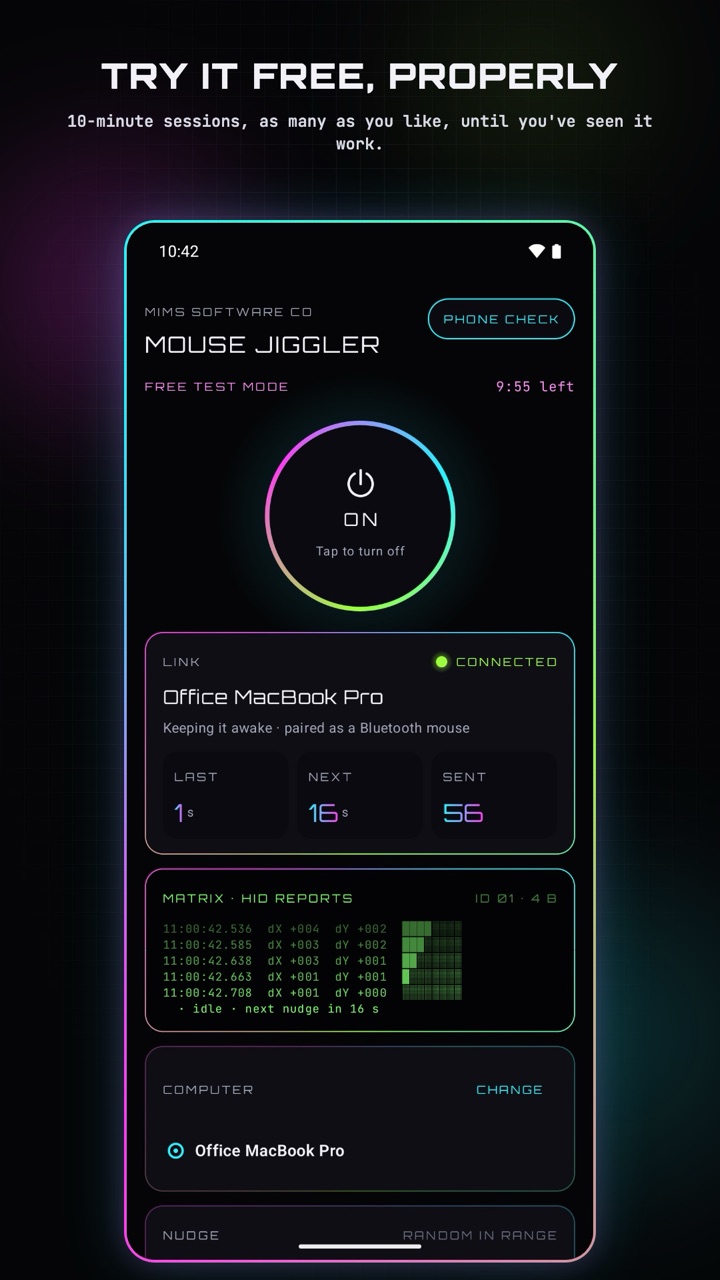
Mouse Jiggler turns your Android phone into a Bluetooth mouse and nudges the pointer every so often, so your computer never sleeps, locks or goes idle. Nothing to install on the computer, no dongle, no cable: pair once from the computer's Bluetooth settings and you're done.
PAIRS AS A REAL BLUETOOTH MOUSE · NOTHING TO INSTALL ON THE COMPUTER · NO ADS · NO TRACKING · OFFLINE
Screens
Swipe for more →
See it move
How it works
Pair once. Turn Mouse Jiggler on, then add it from the computer's Bluetooth settings (Windows: Settings › Bluetooth & devices › Add device; Mac: System Settings › Bluetooth). The computer sees a mouse, nothing more.
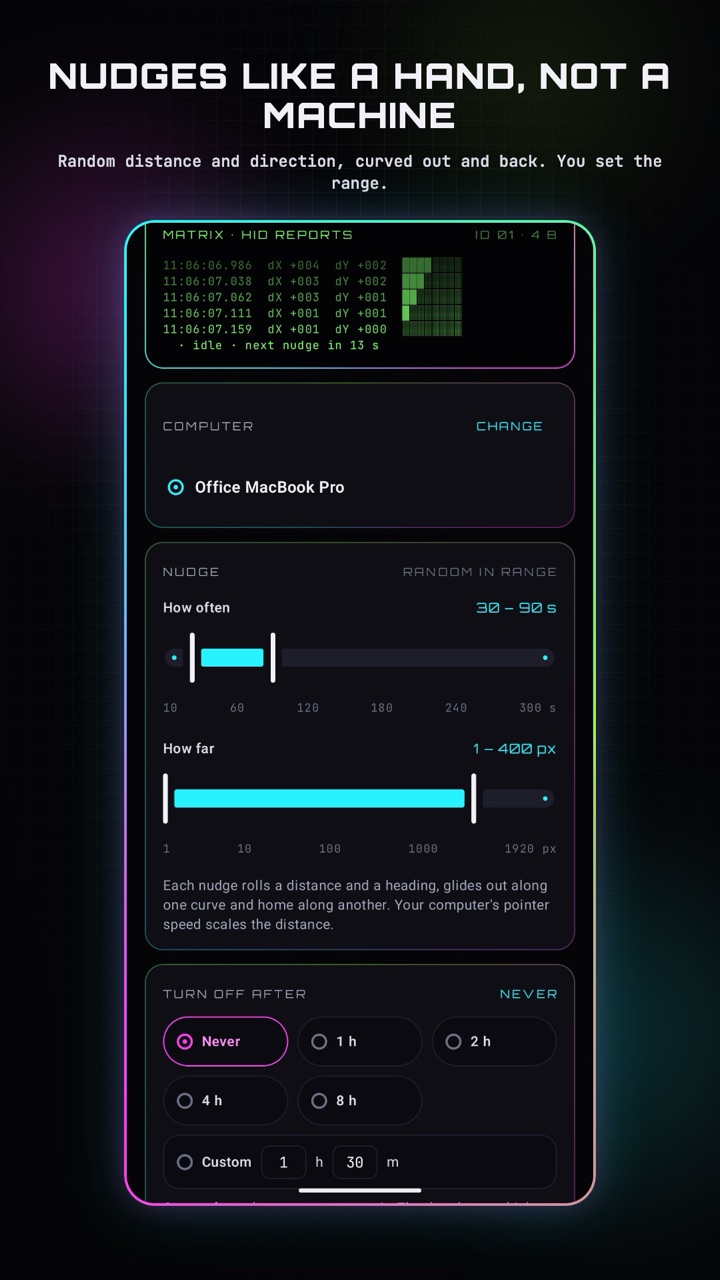
Nudges that look like a hand, not a machine. Each nudge rolls a random distance and direction and glides out along a curve and back along another. You set how often (10 seconds to 5 minutes) and how far (1 pixel to a full screen). The pointer ends where it started.
Reconnects by itself. Walk out of range, toggle Bluetooth, reboot the computer: Mouse Jiggler remembers it and keeps trying until it's back. The status it shows comes straight from Bluetooth, never a guess.
Keeps going with the screen off
While it's on, Mouse Jiggler runs as a foreground service with a persistent notification, so the Bluetooth connection and the nudges continue with the screen off or the app in the background. The notification has a Turn off button, and the timer can turn it off for you.
A Phone Check that tells you what to do
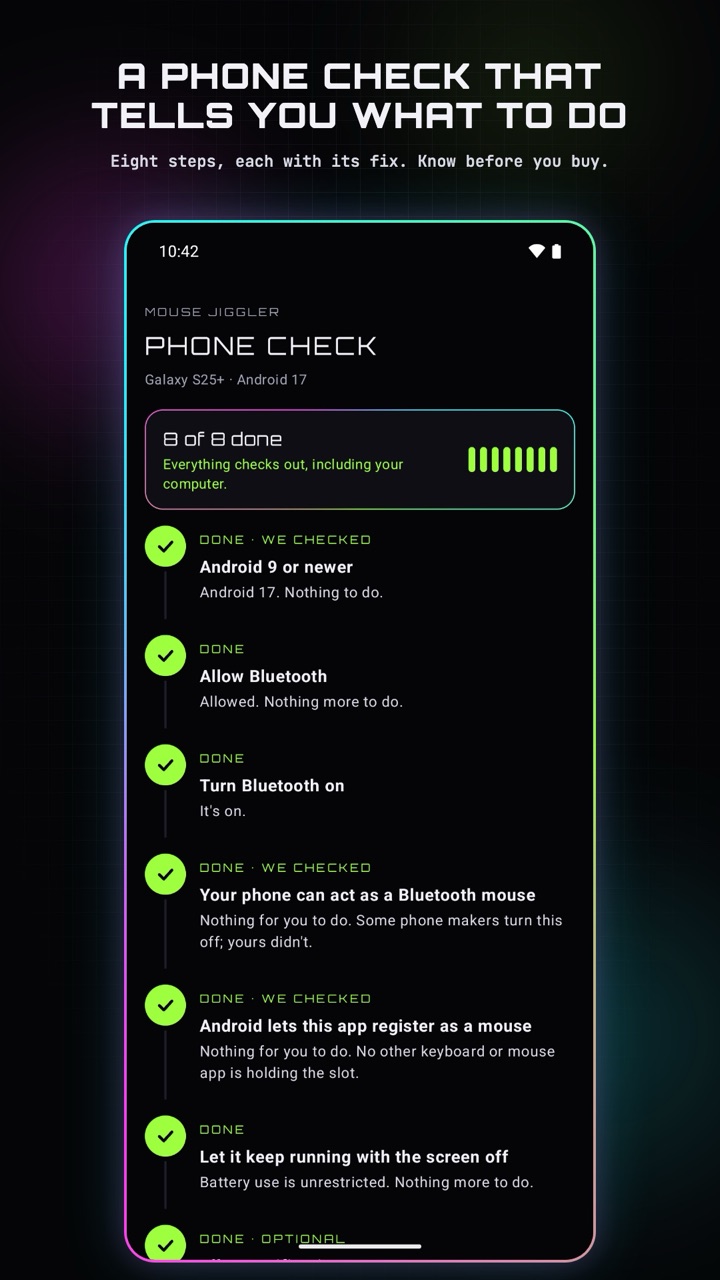
Some phone makers turn off the Bluetooth-mouse feature, and some work laptops block new Bluetooth devices. The built-in Phone Check walks through every requirement step by step, eight of them, each with its fix, and tells you plainly if your phone can't do it, before you spend a cent.
Free Test Mode and Pro
| Free Test Mode | The full app in 10-minute sessions, as many as you like. Pair, watch the pointer move on your own computer, and decide. |
|---|---|
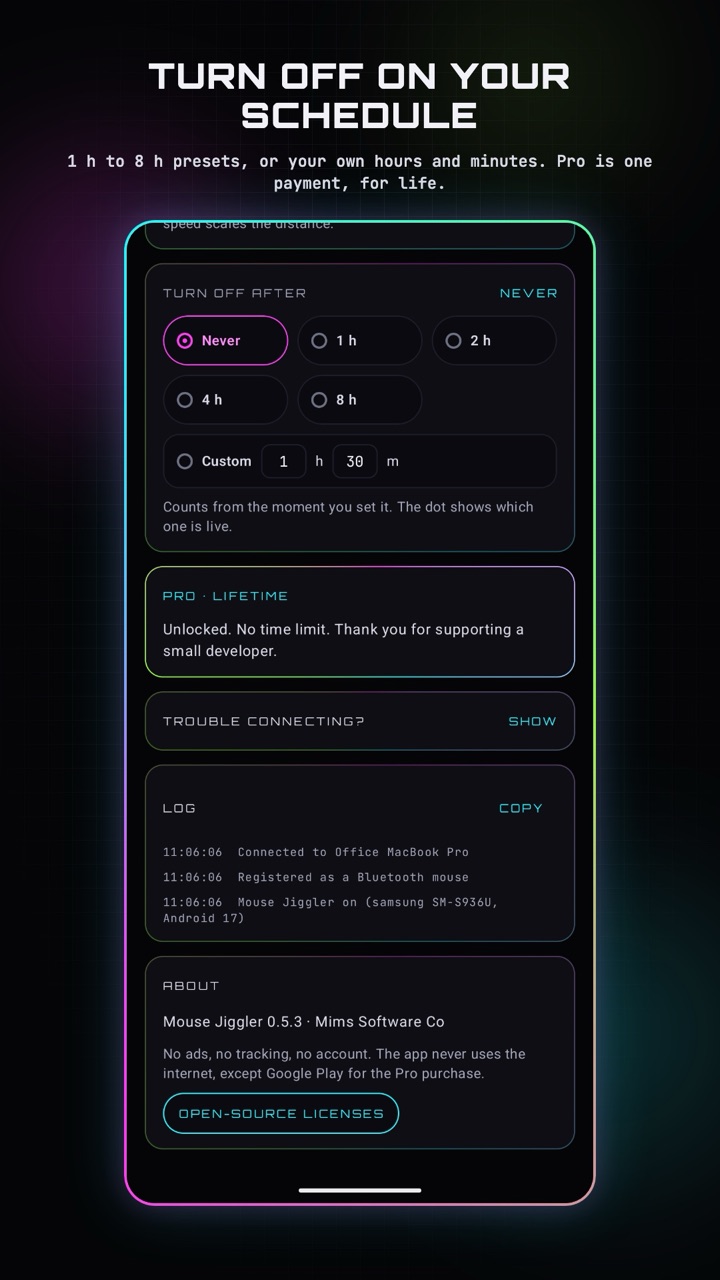
| Pro · $2.99 once | No time limit. Turn-off timers: presets from 1 to 8 hours, or your own hours and minutes. One payment, yours for life. |
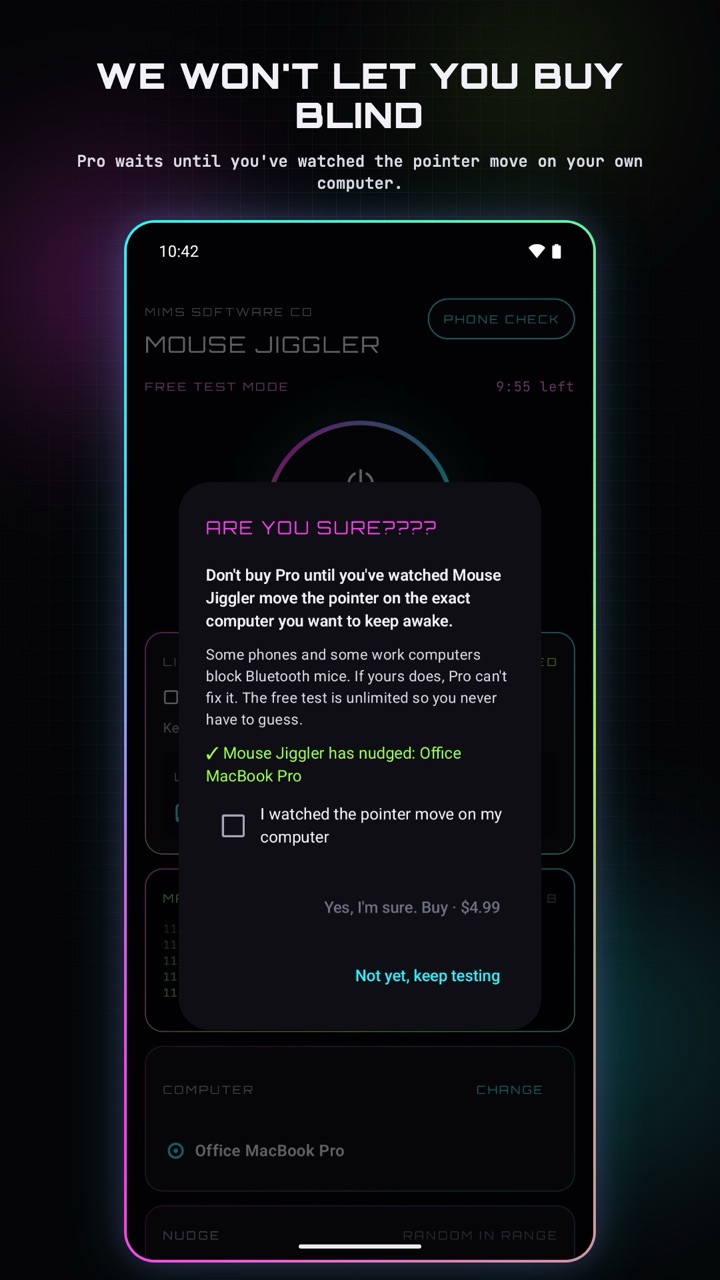
Pro waits until you've watched the pointer move on your own computer: the app asks before it lets you buy. Your purchase goes through Google Play and restores on a new phone with the same Google account.
Good for
- Presentations and long downloads
- Remote sessions and remote desktops
- Media on a second machine
- Builds and renders you don't want interrupted by the lock screen
Private by design
No sign-up, no ads, no tracking. The app only uses the internet for the Pro purchase through Google Play. The computer's Bluetooth name and your nudge settings stay on your phone. We never receive them. Privacy policy
Tell us what's wrong
A phone it won't work on, a computer that lists it as the wrong kind of device, a screen that's confusing? Email support@mimssoftwareco.com, or read the support page first. Every message gets read, and fixes go into the next update.
Needs Android 9 or newer and a phone that can act as a Bluetooth input device (most can; the Phone Check confirms it). Managed work computers can block new Bluetooth devices; the app can't get around a policy.